Screenshots
Introduction
AndrOpen Office is a robust mobile office suite that brings the power of OpenOffice and LibreOffice to Android devices. Developed by Akikazu Yoshikawa, this application celebrates over 7 million downloads, establishing itself as a go-to option for users who need to handle office documents on the go. With AndrOpen Office, you can view, edit, import, and export a wide range of document formats including PDF, Word, Excel, and PowerPoint. The app mimics the functionality of its desktop counterparts, making it ideal for professionals and students alike who require a comprehensive office solution on their Android devices.
Graphics & Gameplay
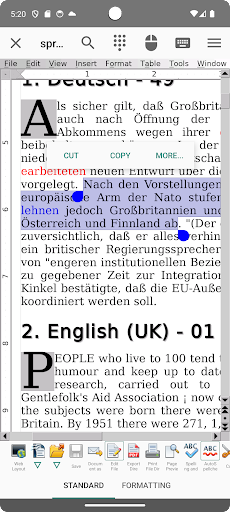
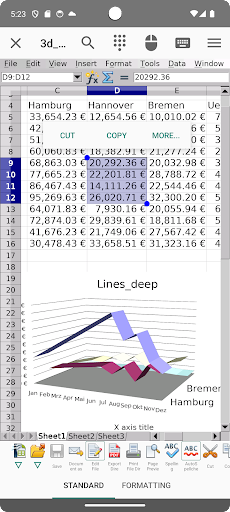
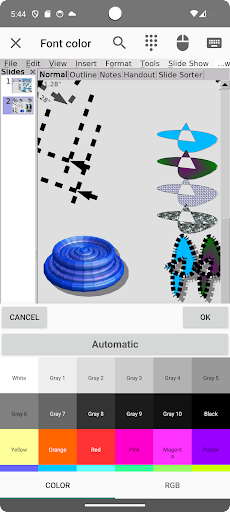
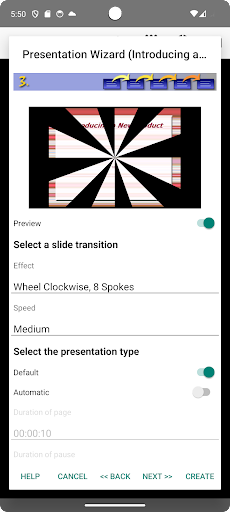
The visual design of AndrOpen Office is clean and user-friendly, with an interface that closely resembles traditional desktop office suites. The screenshots reveal a well-structured layout, incorporating toolbars and menus that are easy to navigate even on smaller screens. Users will appreciate the availability of various document views, making it easy to switch between editing modes and presentation layouts. The color scheme is professional, with a focus on functionality over flashy visuals, allowing users to concentrate on their work without unnecessary distractions.
Interactions are intuitive, with gesture support for scrolling, zooming, and selecting options, providing a seamless experience similar to using a mouse on a computer. Overall, the graphics and user interface contribute significantly to the app's usability, making it accessible to users of all skill levels.
Key Features
- Comprehensive Document Support: AndrOpen Office supports an extensive range of file formats, allowing users to import and export documents in formats like DOC, DOCX, XLS, XLSX, PPT, PPTX, PDF, and many more.
- Multiple Components: The app includes five core components: Writer, Calc, Impress, Draw, and Math, catering to all office needs from word processing to complex data analysis and presentations.
- Cloud Integration: The paid version enables seamless integration with cloud services such as Google Drive, Dropbox, OneDrive, and Box, making it easy to access and save documents from anywhere.
- International Language Support: AndrOpen Office offers support for multiple languages, making it accessible to a global audience.
- Advanced Editing Features: Users can take advantage of features like spell checking, formatting options, and support for embedded objects, ensuring that documents are polished and professional.
- Document Security: The app supports password protection for documents, adding an extra layer of security for sensitive information.
Mod Features
- Premium Unlocked: Enjoy all premium features without any restrictions, giving you access to advanced functionalities that enhance productivity.
- No Ads: A smooth user experience without interruptions from advertisements, allowing for uninterrupted document creation and editing.
- Unlimited Money: In-app purchases can be made freely, enabling users to access premium services without any financial constraints.
- Enhanced Cloud Storage: Increased storage capacity for cloud integrations, allowing users to save larger files without worrying about space limitations.
- Custom Themes and Layouts: Personalize the user interface with custom themes, making the app visually appealing and tailored to individual preferences.
How to Install APK on Android
Installing the AndrOpen Office APK on your Android device is a straightforward process. Follow these steps to get started:
- Go to the official download link for AndrOpen Office: Download AndrOpen Office.
- Before installing, ensure that your device allows installations from unknown sources. You can do this by going to Settings > Security > Unknown Sources and enabling it.
- Download the APK file from the provided link. Once the download is complete, locate the file in your device's file manager.
- Tap on the APK file to initiate the installation process. Follow the on-screen prompts to complete the installation.
- After installation, open the app and enjoy the full functionality of AndrOpen Office on your Android device.
Call to Action
If you are looking for a powerful and versatile office suite for your Android device, AndrOpen Office is an excellent choice. With its rich feature set and compatibility with various file formats, it can cater to all your document needs on the go. Download AndrOpen Office today and take your productivity to the next level!